

|
Name |
Mantis Gamepad Pro |
|---|---|
|
Google Play Link |
GET IT ON
Google Play
|
|
Category |
Tools |
|
Developer |
NeuralMonkey Digital Ventures |
| Last version | 3.4.8 |
|
Updated |
|
|
Compatible with |
Android 7.0+ |
What is Mantis Gamepad Pro APK?
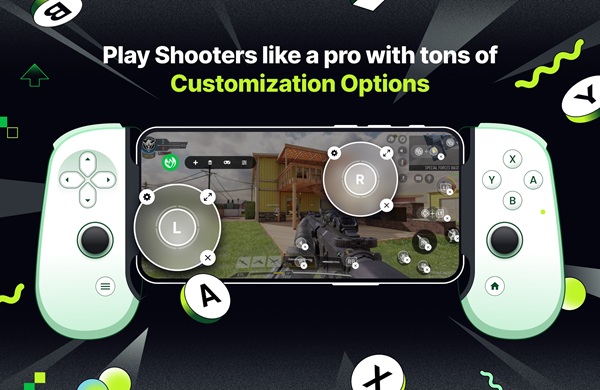
Mantis Gamepad Pro is a mobile utility app designed for Android devices that lets you use a physical controller in games that normally rely on touchscreen input. Instead of tapping and swiping on the screen, you can map buttons and joysticks to specific actions. This turns many mobile titles into something closer to a console-style setup, which feels more precise in fast-paced situations.
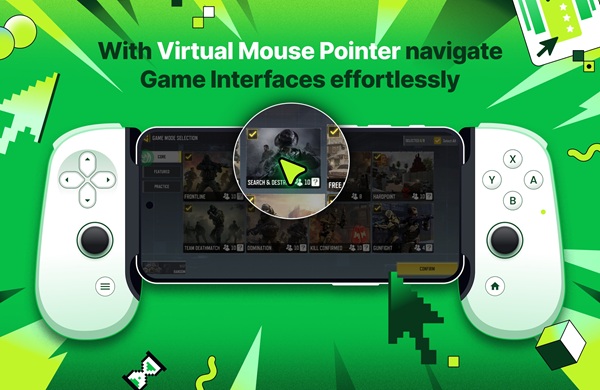
The main purpose of the app is to solve the limits of touch controls. In shooters, racing games, or MOBAs, small finger mistakes can cost a match. By converting controller input into on-screen touch points, the app gives you better accuracy and more consistent control. It works through an overlay system, so it doesn’t modify the game itself.
One of the most practical parts is how easy it is to get started. There is no need for root access, and newer Android versions allow activation directly on the device. You can connect a controller via Bluetooth or USB, launch your game, and begin mapping buttons with a simple drag-and-drop interface. The process feels visual and straightforward, even for beginners.
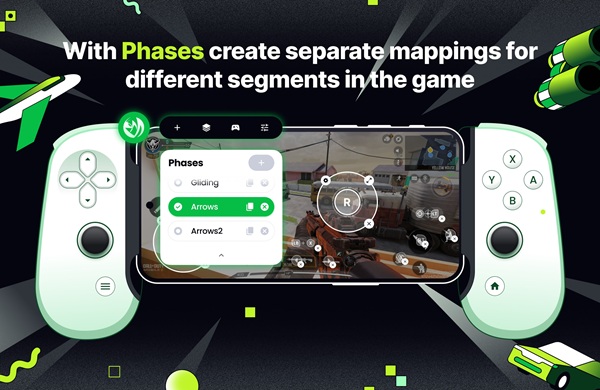
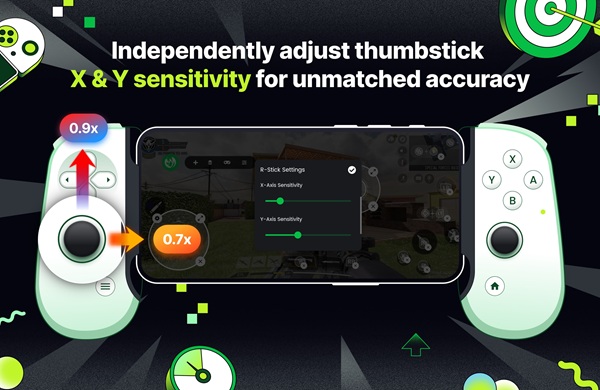
The feature set covers both basic and advanced needs. You can create multiple control profiles for different situations in a game, such as combat or driving. There are also combo buttons that trigger several actions at once, plus options to fine-tune joystick sensitivity and dead zones. These small adjustments can make gameplay smoother and more responsive.
In terms of advantages, the app improves comfort during long sessions and keeps your screen clear of finger obstruction. Movements feel more natural, and reaction times can improve once you get used to a controller layout. It also supports many popular gamepads, so most players won’t need extra hardware.
There are still a few limitations to consider. Initial setup may take a bit of time, especially when adjusting layouts for different games. Some titles may require trial and error to find the best configuration. Also, using overlays can occasionally affect performance on lower-end devices.
This app fits players who spend a lot of time on competitive or skill-based games. It’s especially useful for those who already own a controller and want better control without switching platforms. Casual players can use it too, though the benefits are more noticeable in games that demand precision and fast reactions.
FAQs Mantis Gamepad Pro
What is Mantis Gamepad Pro used for?
+
It is used to map a physical controller to touchscreen controls, allowing better accuracy and comfort in mobile games.
Does Mantis Gamepad Pro require root access?
+
No, it works without root, so you can use it without modifying your device system.
Can I use any controller with Mantis Gamepad Pro?
+
It supports many popular controllers, including Bluetooth and USB gamepads from major brands.
Is Mantis Gamepad Pro safe to use?
+
It operates through an overlay system and does not modify game files, which helps keep your apps and data intact.
Which games work best with Mantis Gamepad Pro?
+
It works well with shooters, MOBAs, racing, and open-world games where precise movement and timing matter.
Discover More Interesting Apps
-
 Mod
Mod
DiskWala
v26.8
123.89 Mb
Updated -
Neon App
v2.14.1
117.01 Mb
Updated -
HaloVPN
v20.1.3
93.33 Mb
Updated -
Panda Mouse Pro
v15
25.00 Mb
Updated -
Mod
Panda Gamepad Pro
v15
25.00 Mb
Updated -
Mod
Terabox
v4.27.5
252.70 Mb
Updated -
GearUP Game Booster
v4.0.9
19.38 Mb
Updated -
NIL Club
v5.1.12
167.85 Mb
Updated -
TikFinity
v2.7.4
91.39 Mb
Updated -
Mod
PigeonCast
v3.7.0
64.62 Mb
Updated









Share Your Thoughts